2026.3
Release date: September 30, 2026
Release 2026.3 introduces BMA Mobile v3. Other additions to the BMA family include local device configuration, support for Quido 2/32, and improved detection models.
In the Control Center, users can schedule device updates and create monitoring alerts directly from the device list. Administrators can now grant users and viewers access to specific device groups.
BMA Family
Local device configuration
Local device configuration allows event triggers and rules to be configured directly on the device without a connection to the Control Center. If no internet connection is available, service personnel can connect a service notebook to the BMA via an Ethernet cable and access the service interface to configure the device directly on-site.
Configurations can be managed locally or remotely. Local and Control Center configurations are synchronized, so both workflows can be used for the same device.
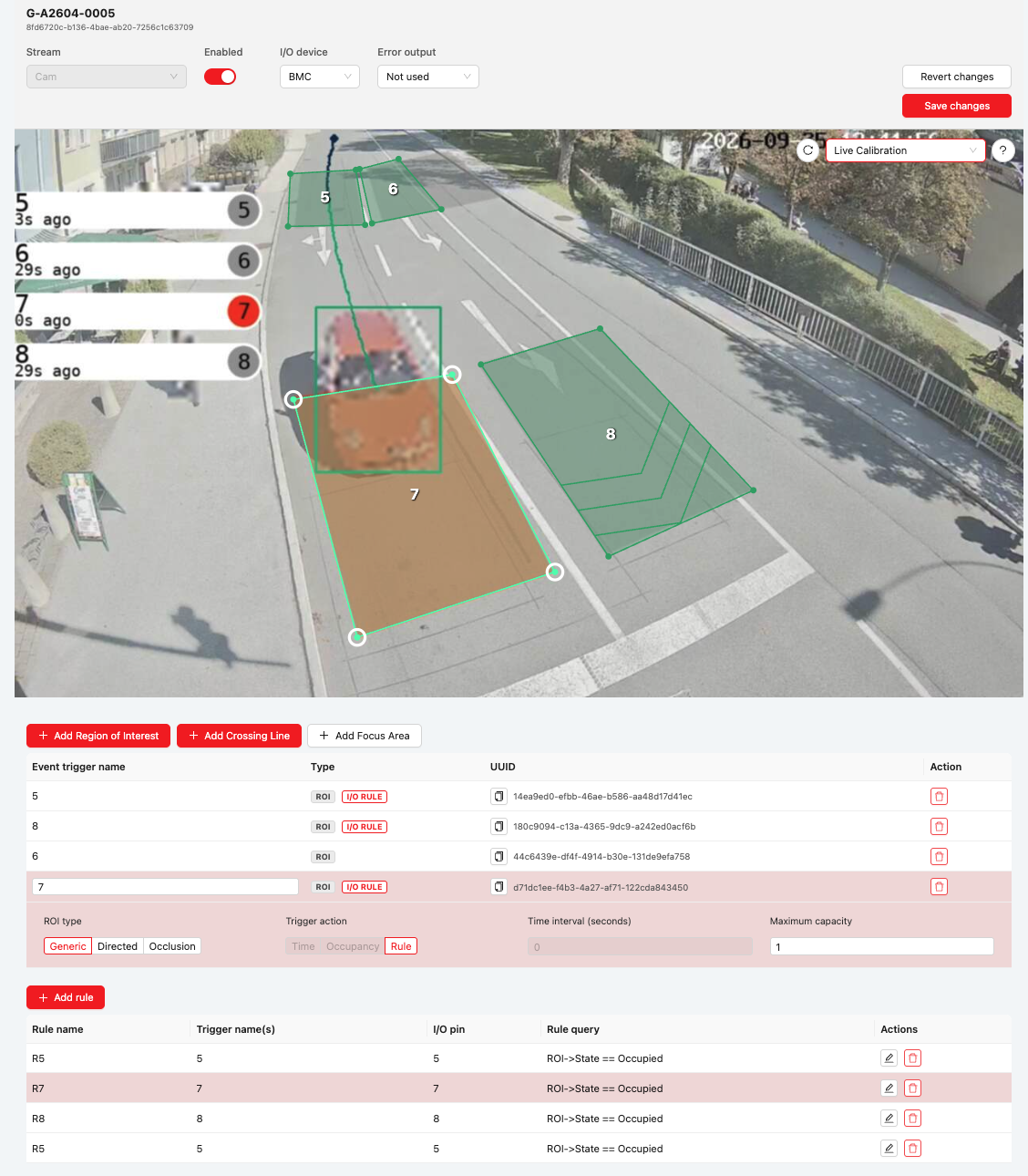
Event triggers and rules configured directly on the device.
The local configuration supports:
- Event triggers based on Crossing Lines and Regions of Interest (ROIs).
- Rules for controlling the outputs of the I/O device.
- I/O device settings: BMC (BMA TLC v3 only) or Quido.
Local configuration is designed for adaptive traffic control. Settings such as the MQTT connection and an XKOPMV connection must still be configured in the Control Center.
Info
Available as a software update for BMA TLC v3 and BMA v3.
For details on local configuration in the Service Interface, see the operating instructions for BMA v3 and BMA TLC v3.
BMA Mobile v3
BMA Mobile v3 replaces BMA Mobile v2. It combines the new BMA v3 camera with the proven battery box and carbon telescopic mast.
Improvements over v2:
-
Longer battery runtime: approximately 7 days of continuous operation in summer and 6 days in winter, or approximately 10 and 9 days in scheduled operation.
Battery runtime estimates
The runtime estimates for v3 assume seasonal IR usage and full nominal battery capacity. Scheduled operation measures from 06:00 to 10:00 and from 15:00 to 19:00; the device remains in standby in between. Actual runtime depends on operating conditions and configuration.
-
Detection range with suitable alignment: cars up to 40 m and trucks up to 60 m.
- Easier adjustment of the device tilt angle directly on the mounting bracket, without opening the device.
- Power and connectivity status visible on external LEDs without opening the housing, reducing the risk of moisture entering during status checks.
- Hard-shell case for convenient storage and safe transport of the BMA and accessories.
- Black tensioning straps for a discreet installation.
Hardware upgrade for existing systems
An upgrade path is available for existing BMA Mobile v2 systems. The battery box and carbon telescopic mast can continue to be used. The BMA camera unit and the power connector on the mast must be replaced. Contact your sales representative for details.
Note
BMA Mobile v2 has been discontinued.
The camera is available exclusively with a 2.7 mm lens. See the operating instructions for battery runtime and detection ranges for each object class.
Quido 2/32 support
The BMA family now supports the Quido 2/32 with 32 outputs. For configuration details and a list of all supported Quido variants, see IO connection.
Info
Available as a software update for B101/B401, BMA v3, and BMA TLC v3.
Model updates
- Traffic & Parking (Accuracy+): Improved detection and localization of all object classes.
- License plates: Improved detection and localization with Traffic & Parking (Accuracy+), Traffic & Parking (Standard) when ANPR is enabled, and ANPR Only.
- Improved Vision Quality models: The models for detecting visual disturbances have been improved. Configure a personal alert to receive a notification when Vision Quality requires attention.
Control Center
Device-group access control
Administrators can now grant users and viewers access to individual device groups or branches of the device-group hierarchy. Access to a parent group includes its devices and all its subgroups. Administrators continue to have access to all devices and device groups.
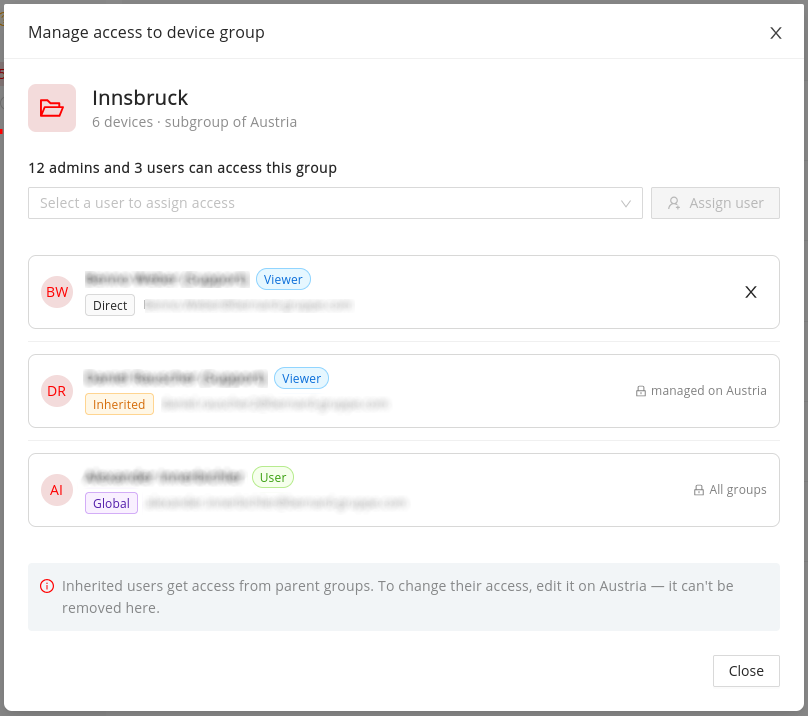
Direct, inherited, and global access to a device group.
The following behavior applies:
- New users and viewers have no device-group access by default.
- Devices without a group are accessible through the Ungrouped Devices selection or through access to all groups.
- Existing users and viewers retain access to all devices and groups until an administrator explicitly changes their access.
- Users can create, rename, and delete device groups within their access scope and move devices between groups they can access.
- Access to a device follows its group: if the device is moved to a group that a user cannot access, that user loses access to it.
This enables use cases such as region- or site-based access and read-only access for municipalities.
License management, user management, role and access management, and assigning users to device groups remain restricted to administrators.
For details, see Device Group Access Control.
Create and manage monitoring alerts
Users can now create monitoring alerts for selected devices directly from the device list, including Vision Quality alerts. They can edit or delete their alerts on the Monitoring Alerts page. Alerts are personal: notifications go to the alert owner's current Control Center email address, rather than to manually entered recipients. Viewers cannot create or manage alerts.
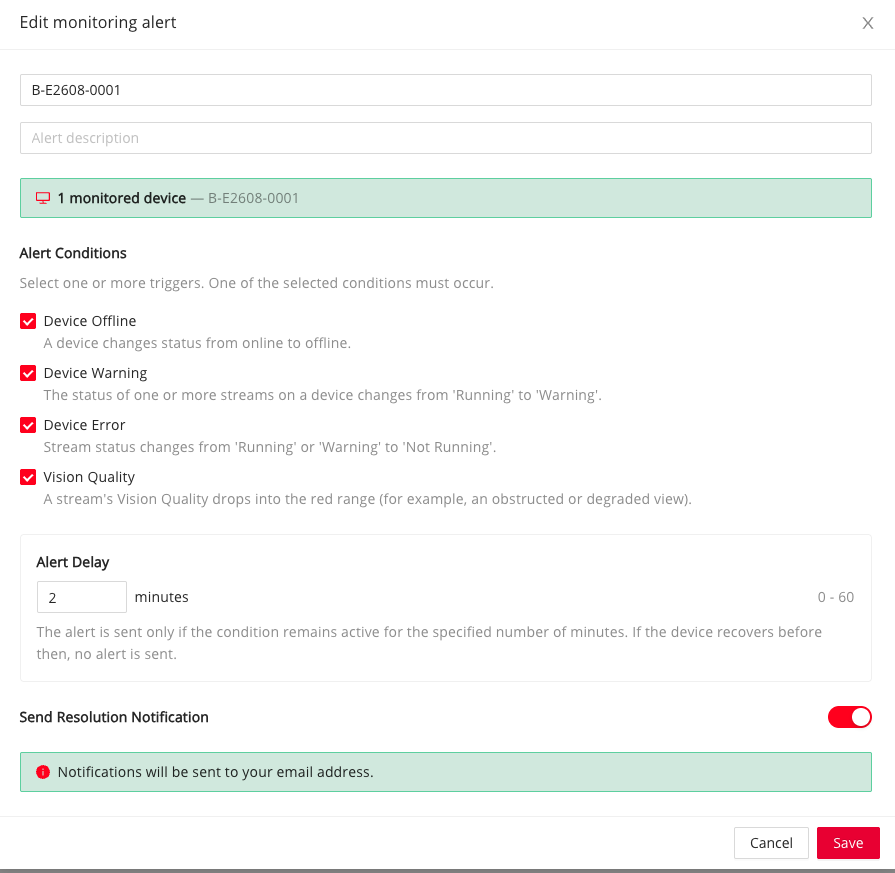
Monitoring alert settings, including Vision Quality.
Existing alerts
Existing alerts have been migrated to individual alerts for recipients with Control Center accounts. Each recipient can manage their own alert. For recipients without an account, we will contact the organization to agree on how to proceed.
For more information, see Monitoring alerts.
Device updates for users
Users can now select devices in the device list and schedule their software update directly from there—either immediately or for a chosen date and time. Viewers continue to have read-only access and cannot schedule updates.
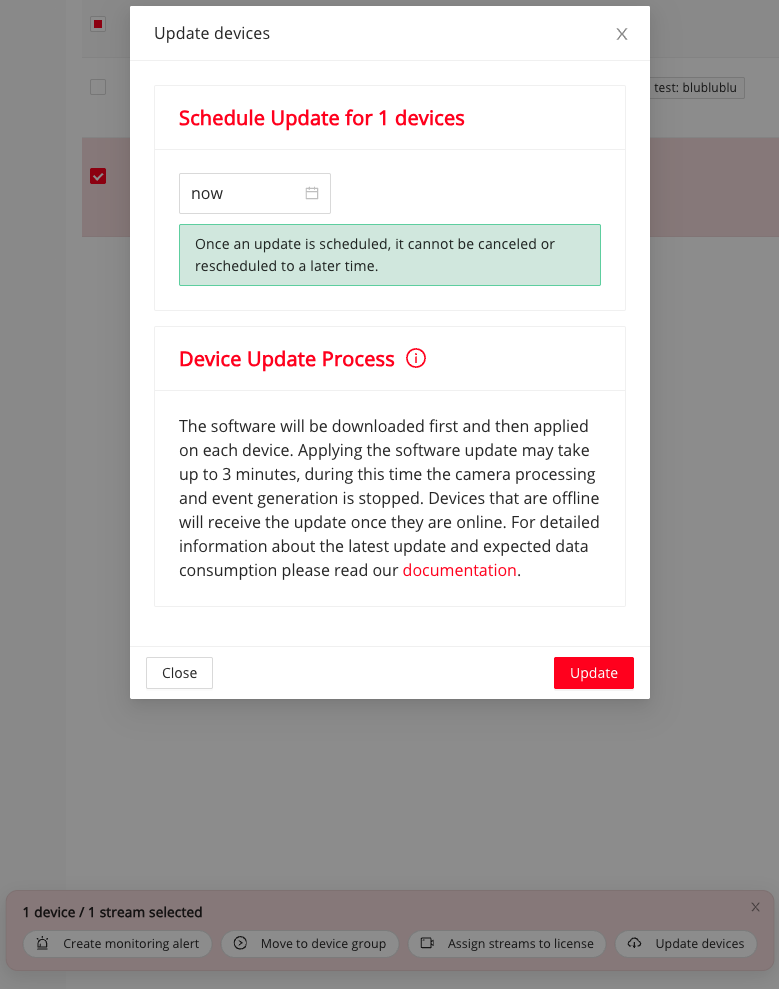
Schedule a device update from the device list.
The update-status icon in the device list indicates that an update is scheduled. Hover over the icon to see the planned time and whether the update is still pending. The update starts once the scheduled time has been reached and the device is online. If the device is offline at that time, the update starts when it comes online.
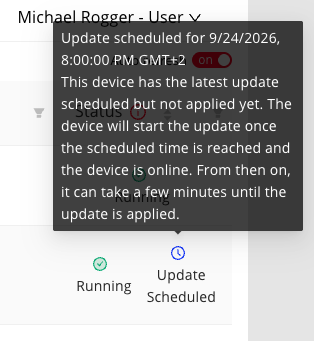
The scheduled-update status shows the planned time and whether the update has been applied.
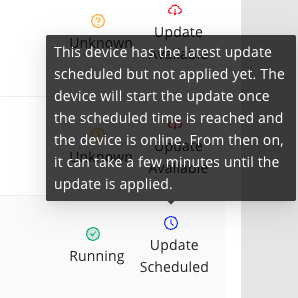
The update-available status also shows when the latest update is scheduled but not yet applied.
Interruption during the update
The update takes up to five minutes. During this time, camera processing and event generation stop, and event-controlled BMC contacts do not switch. Once scheduled, an update cannot be canceled or moved to a later time. Plan updates for devices used in adaptive traffic control accordingly. See Update process.
For more information about device updates, see Device update.
Other updates
Control Center
- Rules can now match any plate in a configured list.
Example: When a plate from a whitelist is recognized, a rule can activate an output contact to open a barrier.
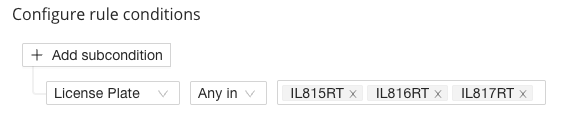
Multiple license plates in one rule condition.
- Users with the User role can now change camera settings, such as digital zoom, on devices they can access.
- Each device's detail page now shows its assigned group.
Documentation updates
- Getting started and platform overview: The revised home page provides direct links to products, solutions, and guides. The new platform overview uses a diagram to explain how devices, Control Center, Data Center, and your own systems work together.
- Product documentation: Dedicated operating instructions are available for BMA Mobile v3. Documentation for BMA Mobile v2 and B101 remains available under Discontinued products.
- Installation and commissioning: The BMA operating instructions describe local configuration in the Service Interface and network requirements. New step-by-step videos show how to mount BMA v3 and BMA TLC v3 on vertical and horizontal poles.
- Control Center: The guides now cover device-group access, personal monitoring alerts, scheduled device updates, and Quido 2/32. They also explain permissions for camera settings and local event buffering during connection interruptions.
- Licences and data retention: The licence overview explains licensing per active camera stream, available features, and data retention for each licence type.
- PDF manuals: The operating instructions for Control Center and Data Center are available to download from their respective overview pages.
- Navigation and corrections: Product pages and the release archive have been reorganised. German and English wording has been made more consistent, and technical information has been clarified. Images on German overview pages can now be enlarged without switching to the English page.