Device update
The Control Center is updated on the release date, and the corresponding device update becomes available the same day. You decide when to update your devices. We recommend updating promptly to receive new features, model improvements, bug fixes, and security updates.
Administrators and users with the User role can schedule updates from the device list. Viewers have read-only access and cannot schedule updates.
Scheduling updates
- Open the device list and select one or more devices.
- Choose Update devices from the action bar.
- In the dialog, choose now or select a date and time, then confirm with Update.
The update starts once the scheduled time has been reached and the device is online. If a device is offline at that time, its update starts when it comes online.
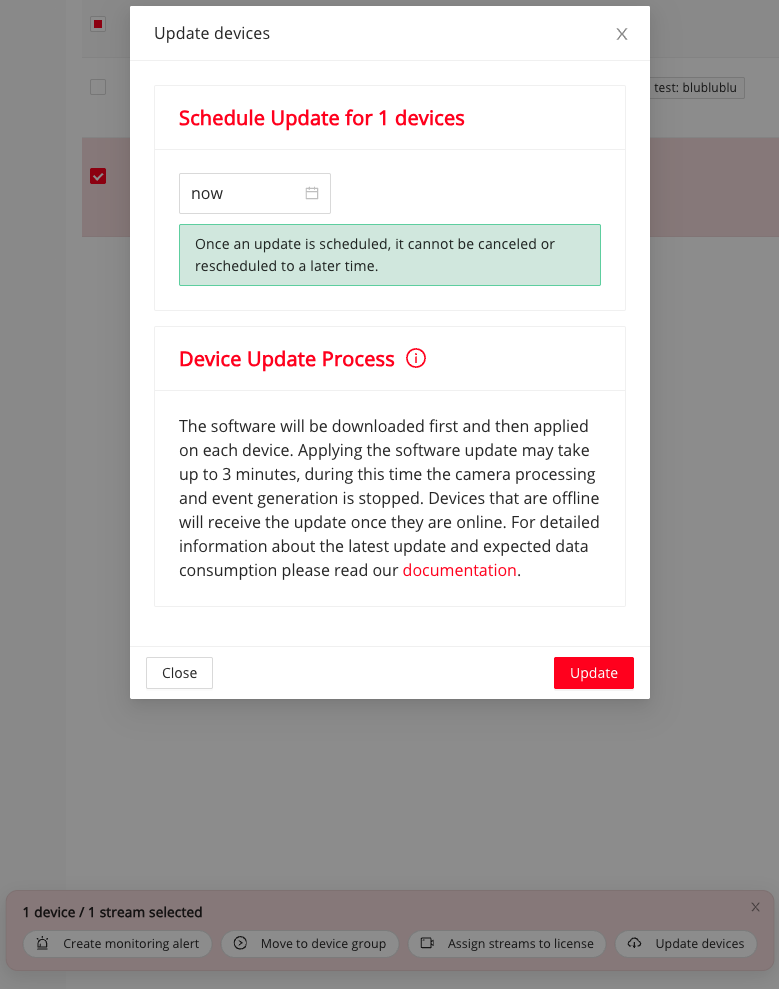
Schedule an update for selected devices directly from the device list.
Warning
Once scheduled, an update cannot be canceled or moved to a later time. Choose a suitable maintenance window before confirming.
Checking update status
In the device list, the clock icon marks a scheduled update. Hover over it to see the planned date and time and whether the update has not yet been applied.
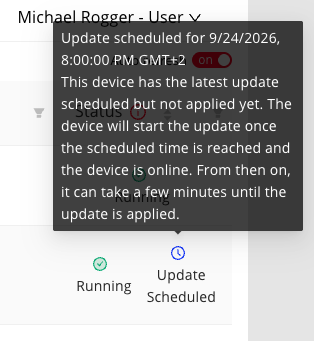
The scheduled-update tooltip shows the planned time and pending state.
The Update available icon can also show that the latest update has already been scheduled but has not yet been applied.
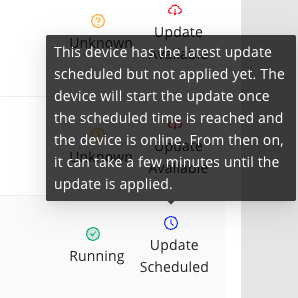
An available update may already be scheduled for this device.
Update process
- The device downloads the update. It continues to operate normally during the download.
- The device applies the update. This can take up to five minutes. During this time, camera processing and event generation stop, so event-controlled BMC contacts do not switch. If an error contact is configured, it remains in the error state while the device is not operational.
- After the update completes, the device returns to normal operation.
Recommended rollout
- Update test devices first to check integrations and compatibility.
- Update a small production batch during a planned maintenance window, preferably outside peak hours.
- Update the remaining devices after confirming that the first batch works as expected.